Comments, Escape sequence & Print in Python

I'm Proficient in a variety of Big Data technologies, including AWS, Azure, GCP, Hadoop, Databricks, Pyspark, Sql, Python, Docker, Jenkins, Git/GitHub, Kubernetes, Azure Data Engineering.
Today we will talk about Comments, Escape Sequences and a little bit more about print statements in Python. We will also throw some light on Escape Sequences.
Python Comments
A comment is a part of the coding file that the programmer does not want to execute, rather the programmer uses it to either explain a block of code or to avoid the execution of a specific part of code while testing.
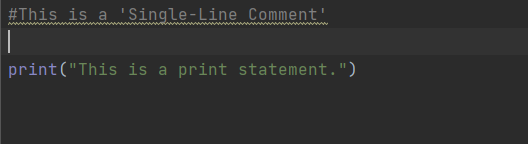
Single-Line Comments:
To write a comment just add a ‘#’ at the start of the line.
Example 1
Output:

Multi-Line Comments:
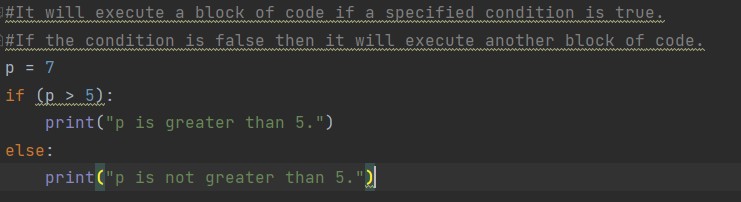
To write multi-line comments you can use ‘#’ at each line or you can use the multiline string.
Example 1: The use of ‘#’.
Output:

Escape Sequence Characters
To insert characters that cannot be directly used in a string, we use an escape sequence character.
An escape sequence character is a backslash \ followed by the character you want to insert.
An example of a character that cannot be directly used in a string is a double quote inside a string that is surrounded by double quotes:


More on the Print statement
The syntax of a print statement looks something like this:
print(object(s), sep=separator, end=end, file=file, flush=flush)
Other Parameters of Print Statement
object(s): Any object, and as many as you like. Will be converted to string before printed
sep='separator': Specify how to separate the objects, if there is more than one. Default is ' '
end='end': Specify what to print at the end. Default is '\n' (line feed)
file: An object with a write method. Default is sys.stdout
Parameters 2 to 4 are optional