Basic Linux Commands
I'm Proficient in a variety of Big Data technologies, including AWS, Azure, GCP, Hadoop, Databricks, Pyspark, Sql, Python, Docker, Jenkins, Git/GitHub, Kubernetes, Azure Data Engineering.
To view what's written in a file. - cat <filename>

To change the access permissions of files. - chmod 777 <filename>

To check which commands you have run till now. - history
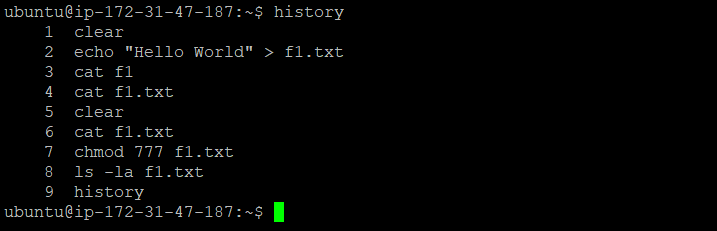
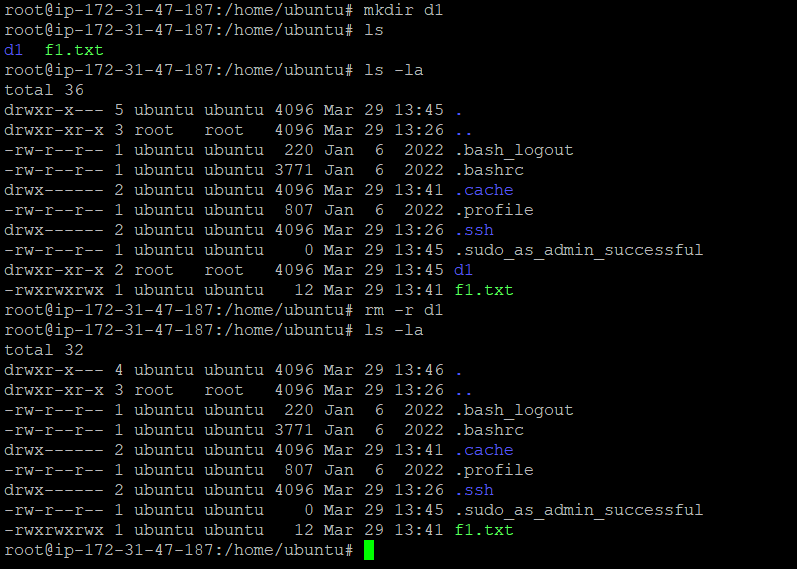
To remove a directory/ Folder. - rm -r <directoryname>
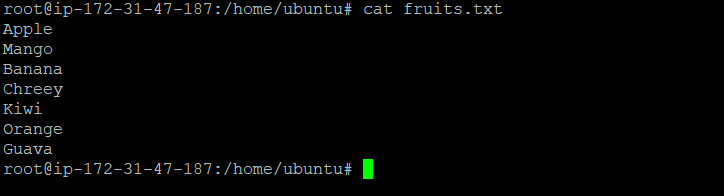
To create a fruits.txt file and to view the content. - touch fruits.txt , cat fruits.txt

Add content in fruits.txt (One in each line) - Apple, Mango, Banana, Cherry, Kiwi, Orange, Guava. - vi <filename> add the contents
To Show only top three fruits from the file. - head -3 fruits.txt

Show only the bottom three fruits from the file. - tail -n 3 fruits.txt

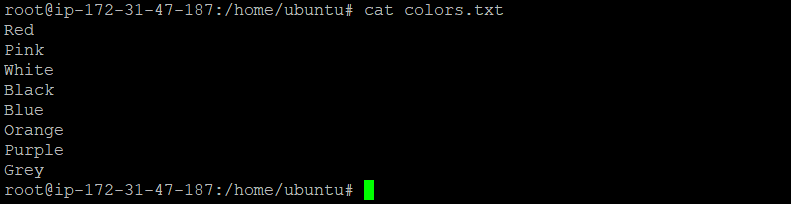
To create another file Colors.txt and to view the content. - touch colors.txt. cat colors.txt

Add content in Colors.txt (One in each line) - Red, Pink, White, Black, Blue, Orange, Purple, Grey. - vi <filename> add the contents
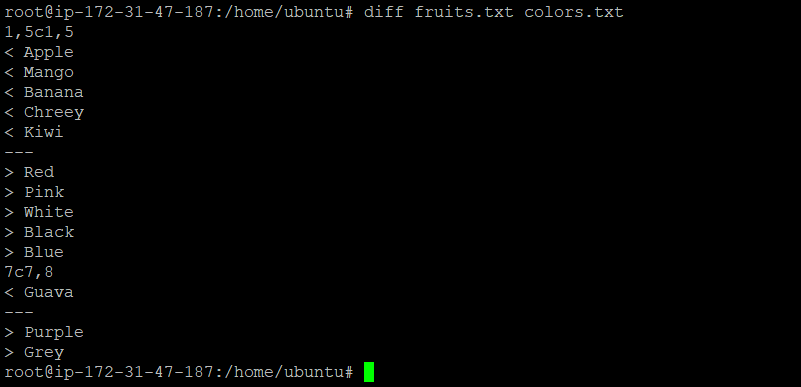
To find the difference between the fruits.txt and Colors.txt files. - diff fruits.txt colors.txt
Thank you for Reading.
Bikram Chatterjee